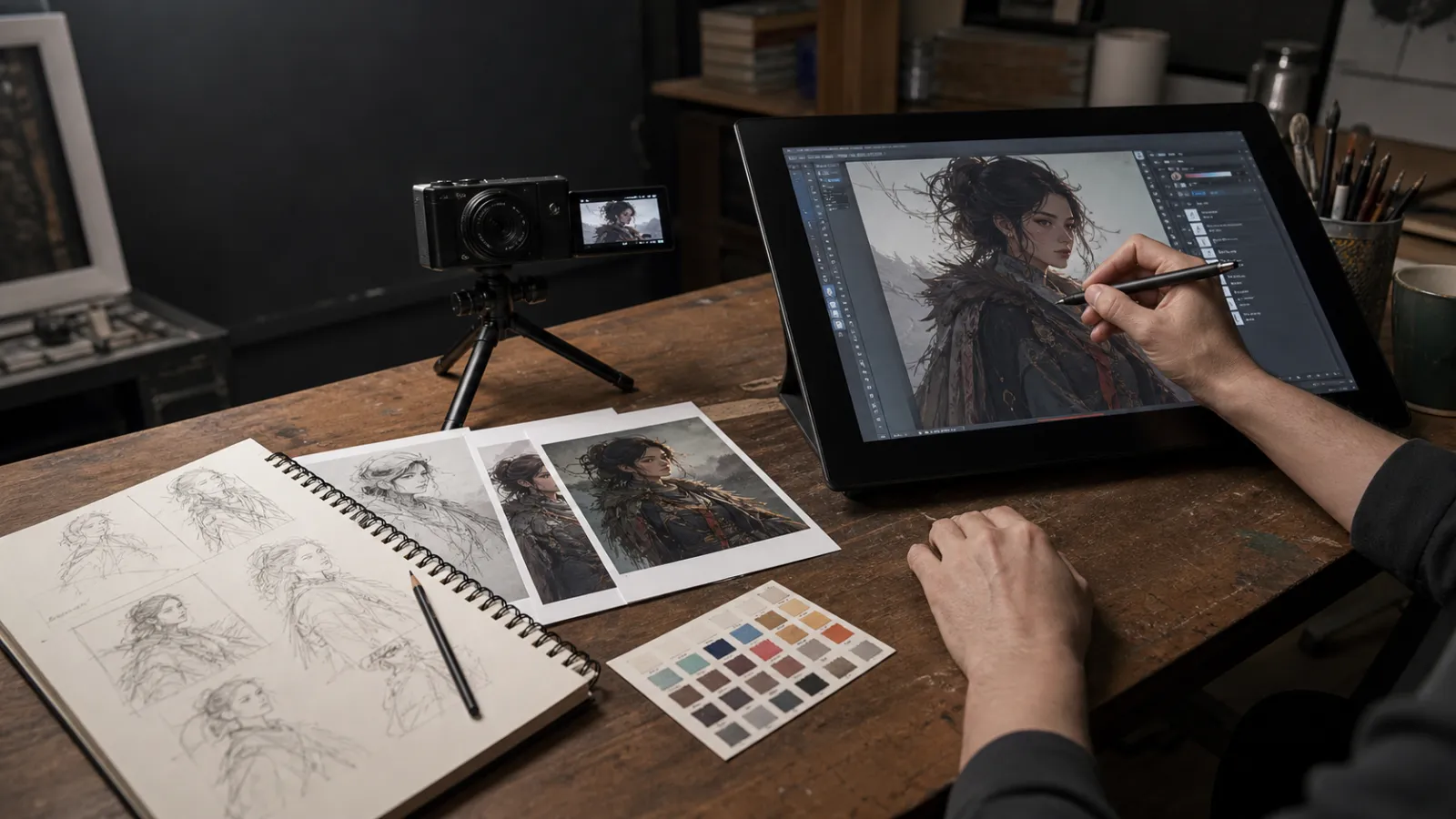
Quick answer: If you want to know how to prove your artwork is human-made, do not depend on one screenshot, metadata field, signature, or AI detector. The strongest approach is to preserve a consistent chain of evidence: early sketches, reference notes, layered source files, incremental saves, time-lapse or screen recordings, file timestamps, export history, client messages, and—when available—tamper-evident Content Credentials. Each item has limitations, but together they can provide a credible record of how the artwork developed.
The goal is not to publish every private file or record your entire life. It is to keep enough reliable evidence that a client, competition, gallery, platform, or skeptical viewer can understand your creative process.
How to Prove Your Artwork Is Human-Made: The Best Approach
Best-use recommendation: For most artists, the best verification package is an early sketch, the layered native file, three or more dated progress versions, and a short process recording. Add Content Credentials when your software supports them. This combination is practical enough for routine use and much more persuasive than an AI-detector score.
Advertisement
Use a larger evidence package for valuable commissions, competitions, licensing disputes, or copyright matters. For ordinary portfolio work, preserve the complete record privately and publish only a carefully selected sketch-to-final case study.
Why Artists Are Being Asked to Prove Their Work Is Human-Made
Generative-image tools have made it harder to judge how an image was produced by looking at the finished result alone. Highly polished work may be accused of being AI-generated, while generated images can be edited until familiar visual defects disappear.
Artists may now be asked for process evidence when:
- submitting to an art competition or exhibition;
- applying for a job, grant, residency, or commission;
- delivering work under a contract that restricts generative AI;
- licensing an illustration to a publisher or brand;
- selling original or limited-edition work;
- responding to a social-media accusation;
- registering or enforcing copyright;
- demonstrating that a portfolio represents their actual skills.
This does not mean artists should accept invasive demands automatically. The appropriate evidence depends on the situation. A public viewer is not entitled to your private client files, and a prospective client should not receive an editable source file merely because they ask whether the work is original.
If you are preparing a professional body of work, How to Build a Portfolio With No Experience explains how self-initiated projects can be presented credibly. The same principle applies here: show decisions and development, not only polished outcomes.
There Is No Universal “Human-Made” Certificate
Before building an evidence system, understand what it can and cannot establish.
A layered file can be fabricated. Metadata can be removed or changed. A time-lapse can omit part of a workflow. A signature can be copied. Content Credentials can describe provenance without deciding whether the work is artistically good, honest, or legally protected.
The Coalition for Content Provenance and Authenticity, which develops the C2PA standard behind many Content Credentials implementations, describes provenance information as a set of verifiable assertions about a file and its history. The standard does not make a value judgment about whether the underlying content is “good,” “bad,” truthful, or human-created in some absolute sense.
That is why the strongest case is cumulative. Think of it as a process record, not a magic badge.
Process Evidence vs. AI Detectors
| Method | What it can show | Main limitation | Best use |
|---|---|---|---|
| Sketches and thumbnails | Development of the original idea | Can be recreated later if isolated | Show alongside dated working files |
| Layered native file | Construction, edits, masks, paths, and decisions | Generated material can also be placed into layers | Private review or recorded walkthrough |
| Incremental versions | How the artwork changed over time | Dates alone can be altered | Connect versions to backups or client feedback |
| Process recording | Visible creation stages and technique | May omit imports or off-screen work | Portfolio evidence and formal verification |
| Content Credentials | Tamper-evident provenance assertions | Support varies and credentials are not a value judgment | Authenticated delivery and publishing |
| AI-image detector | A statistical estimate about the finished image | Can produce false positives and false negatives | At most, a preliminary signal—not proof |
When deciding how to prove your artwork is human-made, prioritize evidence that reconstructs the creative process. A detector examines an output; a process record explains where the output came from.
1. Keep Your Earliest Sketches and Planning Notes
Save the material created before the polished artwork:
- thumbnail sketches;
- written concepts;
- composition alternatives;
- pose and gesture studies;
- color explorations;
- discarded ideas;
- reference boards;
- notes explaining the intended audience or story.
Early work is useful because it shows the decisions that led to the final image. Ten small composition thumbnails often reveal more about authorship than a single polished progress screenshot.
For traditional artwork, keep dated sketchbook pages and photograph major stages under consistent lighting. Include a wider photograph showing the work in your studio when appropriate, rather than saving only tightly cropped images that could depict any surface.
For digital work, use clear filenames and place planning files in the same project folder as the final source file.
project-name/
|-- 01-brief-and-notes/
|-- 02-reference/
|-- 03-thumbnails/
|-- 04-sketches/
|-- 05-working-files/
|-- 06-exports/
|-- 07-delivery/
Do not rely on a sketch that was recreated after the final image. A believable record develops naturally throughout the project.
2. Preserve the Layered Source File
Keep the editable file from the application in which the artwork was created. Depending on your tools, that may be a PSD, PSB, Procreate document, Clip Studio file, Krita file, Illustrator document, Affinity file, or another native format.
A useful source file may show:
- rough sketches beneath cleaner drawing layers;
- separate line, color, shadow, and highlight layers;
- masks and selections;
- vector paths;
- adjustment layers;
- naming and grouping that reflect the workflow;
- revisions and abandoned approaches;
- embedded notes or linked assets.
Do not flatten the only copy. Save a separate flattened export for publishing while retaining the working file privately.
However, a layered file is not conclusive by itself. Layers can be constructed around imported or generated images. Its value comes from consistency with your sketches, saved versions, time-lapse, and demonstrated working method.
Your source file may also contain licensed fonts, stock photography, confidential client material, personal information, or assets you are not permitted to redistribute. Provide it only when your agreement requires it, and consider showing a supervised screen recording or selected screenshots instead of transferring the complete file.
3. Save Incremental Versions Instead of One Final File
Use numbered saves or version-history tools throughout the project.
forest-poster-v01-thumbnails.psd
forest-poster-v02-sketch.psd
forest-poster-v03-color-study.psd
forest-poster-v04-detail.psd
forest-poster-v05-client-revision.psd
forest-poster-v06-final.psd
Versioning shows that the image evolved over time. It can also save a project after a corrupted file, mistaken edit, or rejected client revision.
Cloud version history can add context, but do not make it your only record. Accounts can be lost, storage policies can change, and sync conflicts can overwrite files. Keep an independent backup of important projects.
For professional commissions, connect version names to dated feedback. A message requesting a different pose followed by a file containing that revision creates a stronger timeline than an isolated timestamp.
4. Capture Progress Without Recording Everything
Screen recordings and time-lapses are persuasive because they show the artwork taking shape. Many drawing applications have built-in time-lapse features, while operating systems and recording applications can capture the wider workspace.
A useful recording should show meaningful stages:
- the initial blank document or imported sketch;
- early construction and composition;
- major changes and corrections;
- color or value development;
- detail work;
- final export.
Built-in time-lapses may not capture imported material, actions outside the canvas, edits made on another device, or every menu operation. If the rules of a competition or client agreement are strict, confirm what evidence is expected before beginning.
Protect your privacy. Close email, messages, password managers, unrelated client files, and notifications before recording. Crop the recording to the creative application when possible, and review it before publishing.
For traditional art, take progress photographs that include physical context: the work surface, materials, changing paint mixtures, or your hand working on the piece. Consistent features in the room and artwork can help demonstrate continuity.
5. Preserve Original Dates—but Understand Their Limits
File creation and modification dates can support a timeline, especially when they agree with sketches, emails, cloud history, and published progress posts. Camera metadata may also record capture time, device information, and technical settings.
But timestamps and ordinary metadata are weak evidence on their own because they can be edited, stripped by websites, changed during copying, or rewritten during export. Treat metadata as one supporting layer rather than proof.
Useful date records include:
- native-file creation and modification history;
- cloud revision history;
- dated backup snapshots;
- emails containing drafts;
- client-portal uploads;
- invoices and project milestones;
- public progress posts;
- photographs stored in their original form.
Keep the original files. Re-exporting or sending an image through a social platform may remove information that existed in the first version.
6. Use Content Credentials When They Fit Your Workflow
Content Credentials are an industry-standard form of provenance metadata based on C2PA technology. Supported tools can attach information about the creator, editing actions, and whether generative AI was used. Because the credential is cryptographically bound to the asset, later tampering can be detected more reliably than with ordinary editable metadata.
Adobe currently supports Content Credentials in applications including Photoshop, Lightroom, Premiere, and its Content Authenticity tools. In Photoshop, artists can enable Content Credentials, preview the included information, and attach it during export.
Content Credentials are valuable, but they are not universal proof of human authorship:
- not every application or platform supports them;
- some platforms may remove embedded credentials;
- the absence of credentials does not mean an image is AI-generated;
- credentials describe declared provenance and verified associations, not artistic merit;
- privacy settings determine which identity and workflow details are disclosed.
Use them as one strong link in a larger evidence chain. Before publishing, inspect the exported file with a compatible verification tool and retain the credentialed original even if a social platform serves a modified copy.
7. Build a Consistent Public Process History
A long-term record can be more convincing than a defensive post created after an accusation. Consider publishing selected evidence as part of your normal portfolio practice:
- sketch-to-final carousels;
- short process videos;
- project case studies;
- explanations of rejected directions;
- close-ups of traditional materials;
- articles discussing your technique;
- livestream archives;
- dated work-in-progress posts.
This also makes a portfolio more useful to clients. They can see how you solve problems, respond to constraints, and develop an idea—not only whether they like one finished image.
Do not turn every portfolio project into an overwhelming archive. Choose evidence that explains the most important decisions. If you are still defining the visual qualities connecting your projects, read How to Find Your Art Style.
8. Document Client and Collaboration Records
Commissioned work naturally produces evidence:
- the original brief;
- estimates and invoices;
- contracts;
- meeting notes;
- feedback messages;
- draft deliveries;
- approval dates;
- revision requests;
- final handoff records.
Keep these records organized, but respect confidentiality. A private client email can support a dispute without being posted publicly. Redact names, budgets, unreleased products, and personal information before sharing any portion of a communication.
Define AI expectations in writing before the project starts. The agreement can specify whether generative tools are permitted, whether disclosure is required, what source materials may be uploaded to third-party systems, and what evidence will be delivered. These terms are especially important when pricing commercial usage. How to Price Your Artwork explains why licensing, revisions, labor, and intended use should be considered separately.
9. Register Important Work When Appropriate
In the United States, copyright generally depends on human authorship. The U.S. Copyright Office has stated that using AI as an assistive tool does not automatically prevent copyright protection, but purely AI-generated material—or material without sufficient human control over expressive elements—is not protected in the same way. Human-authored selection, arrangement, and modifications may still qualify depending on the facts.
Copyright registration and proof of a human workflow are related but different issues. Registration can create important legal benefits, but a registration certificate is not a universal technical detector declaring that every pixel was manually created.
If a work contains generative material, disclose it accurately when the registration process requires disclosure. For valuable work, licensing disputes, or unclear mixed-media workflows, consult a qualified intellectual-property attorney in your jurisdiction. This article is practical information, not legal advice.
10. Do Not Depend on AI-Image Detectors
An AI detector should not be the foundation of your claim. Detection results can conflict, change after compression or editing, and produce false positives or false negatives. A detector score does not reconstruct how an artwork was made.
If someone presents a detector result as definitive proof, respond with process evidence instead:
- sketches;
- native files;
- version history;
- progress recordings;
- provenance credentials;
- dated project communications;
- a live demonstration of relevant skills when appropriate.
Likewise, avoid accusing another artist solely because a detector, visual checklist, or social-media commenter says the image is AI-generated.
A Practical Evidence Package for Artists
You do not need every possible item. For an important digital artwork, a balanced evidence package might contain:
| Evidence | What to retain | Share publicly? |
|---|---|---|
| Planning | Brief, notes, references, thumbnails | Selected items |
| Creation | Layered native file | Usually private |
| Development | Three to six incremental versions | Selected previews |
| Process | Time-lapse or short screen recording | Often appropriate |
| Dates | Original metadata and backup history | Only when needed |
| Communication | Client feedback and approvals | Private or redacted |
| Provenance | Content Credentials where supported | Appropriate for delivery |
| Publication | Dated case study or progress post | Yes |
| Rights | Contract, licenses, and registration records | Usually private |
For everyday personal work, keeping the native file, sketches, and several progress captures may be enough. For a major commercial commission, competition entry, or valuable original, preserve a more complete package.
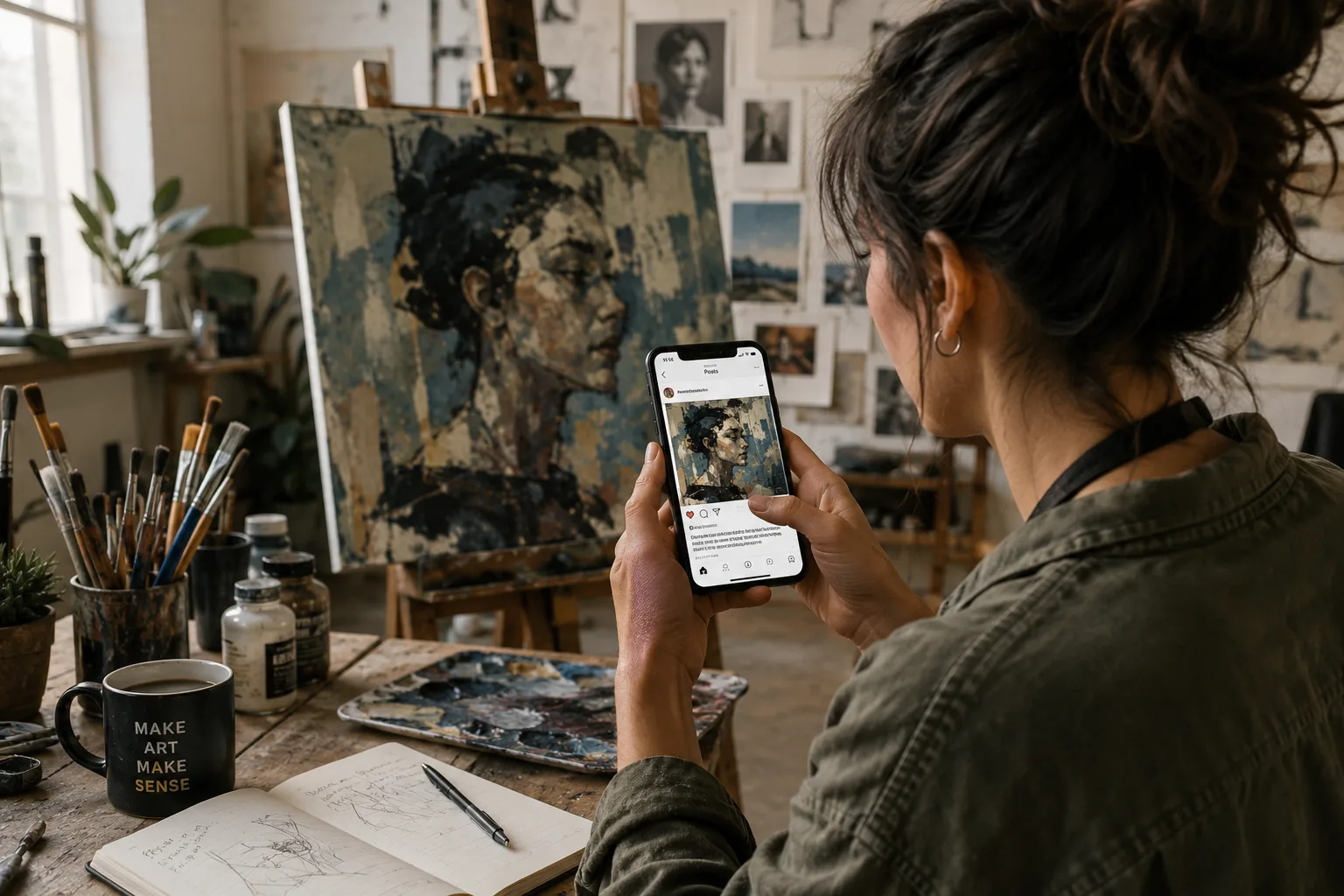
What to Do If Someone Accuses You of Using AI
First, decide whether the accusation deserves a response. You do not owe unlimited private access to anonymous commenters.
If the question comes from a client, employer, gallery, or competition organizer:
- Ask what concern or policy prompted the request.
- Review the agreement or submission rules.
- Provide the least sensitive evidence that reasonably answers the concern.
- Explain the workflow clearly and factually.
- Avoid sending editable source files unless delivery was agreed upon.
- Record what you shared and when.
- Escalate to professional advice if money, reputation, or legal rights are at risk.
A concise response could say:
I created this artwork through a documented manual process. I can provide selected sketches, progress captures, and a screen recording of the layered working file. The editable source file contains private project material, so I do not distribute it publicly, but I am happy to provide appropriate verification under our agreement.
Artists increasingly need to communicate the value of process, judgment, and accountability. That connects directly to the broader career questions discussed in Why Great Art Isn't Enough Anymore and Where Did All the Art Commissions Go?.
Human-Made Artwork Verification Checklist
Before publishing or delivering an important project, confirm that you have:
- retained the earliest sketches and notes;
- saved the layered or editable source file;
- kept incremental versions or cloud history;
- captured several meaningful stages;
- preserved original photographs and metadata;
- separated private evidence from public portfolio material;
- reviewed the contract's AI and source-file terms;
- attached and checked Content Credentials when supported;
- converted public exports correctly without overwriting the master;
- backed up the complete project in more than one location;
- documented any AI-assisted elements honestly;
- avoided presenting detector scores as definitive proof.
Frequently Asked Questions
Can you prove that digital art is not AI-generated?
No single method proves it conclusively in every situation. A combination of sketches, layered source files, incremental saves, recordings, timestamps, communications, and provenance credentials can provide strong evidence of a human creative process.
Is a time-lapse enough to prove artwork is human-made?
A time-lapse is helpful but not conclusive. It may omit imported assets or actions outside the canvas. Pair it with the native file, early sketches, saved versions, and other project records.
Do layers prove that art was drawn by a person?
Layers support a claim when they show a coherent workflow, but layered files can include imported or generated material. Their value increases when they match sketches, progress recordings, and version history.
Can metadata prove who created an image?
Ordinary metadata can support a timeline, but it can be edited, removed, or changed during copying and export. Preserve the original files and use metadata alongside stronger evidence.
What are Content Credentials?
Content Credentials are tamper-evident provenance information based on the C2PA standard. They can record assertions about a creator, editing history, and the tools used. They improve transparency but do not make an absolute judgment that an image is entirely human-made.
Should artists use AI detectors to verify their own work?
Do not rely on them as proof. Detector results can be inconsistent and may misclassify edited, compressed, unusual, or highly polished images. Process documentation is more informative.
Should I send my layered source file to prove authorship?
Only when it is safe and appropriate. Source files may contain confidential information, licensed assets, and valuable working methods. A recorded walkthrough, selected screenshots, or supervised review may provide verification without transferring the file.
Does using an AI-assisted tool mean the entire artwork is AI-generated?
Not necessarily. Tools such as selection assistance, noise reduction, upscaling, or generative features can play very different roles. Document which tools were used and what expressive decisions you made. Legal treatment and disclosure requirements depend on the jurisdiction, platform, agreement, and extent of human contribution.
Can I copyright human-made artwork?
Copyright rules vary by country. In the United States, copyright protection requires human authorship, while sufficiently creative human contributions to a work containing AI-generated material may still be protected. Registration questions involving mixed workflows should be answered accurately and, when necessary, with professional advice.
How long should artists keep their working files?
Retain files for as long as the work remains commercially, legally, or professionally important. Client agreements and local limitation periods may affect the appropriate retention period. Maintain backups rather than relying on one computer or cloud account.
Final Thoughts
The best way to prove your artwork is human-made is to document the process while it happens. Keep the rough work, preserve the editable file, save versions, record selected stages, and maintain a clear connection between the idea, the decisions, and the final result.
Do not wait for an accusation before building this habit. Good process records protect your work, improve your portfolio, simplify client communication, and make it easier to revisit old projects. They also demonstrate something a finished image cannot show on its own: how you think.
No single file or badge can settle every dispute. A consistent, privacy-conscious chain of evidence is far more credible than one dramatic piece of “proof.”