Every Artist Eventually Asks the Same Question
There comes a point in every digital artist's journey when inexpensive drawing tablets begin to feel limiting.
You've improved your skills.
Your clients expect more.
Advertisement
Color accuracy matters.
Tiny screens become frustrating.
You start wondering whether investing in professional equipment could actually improve your workflow.
That's exactly where the Wacom Cintiq Pro 27 enters the conversation.
It's one of the most respected creative pen displays available today, designed specifically for illustrators, concept artists, comic artists, animators, and professional designers who spend hours creating every day.
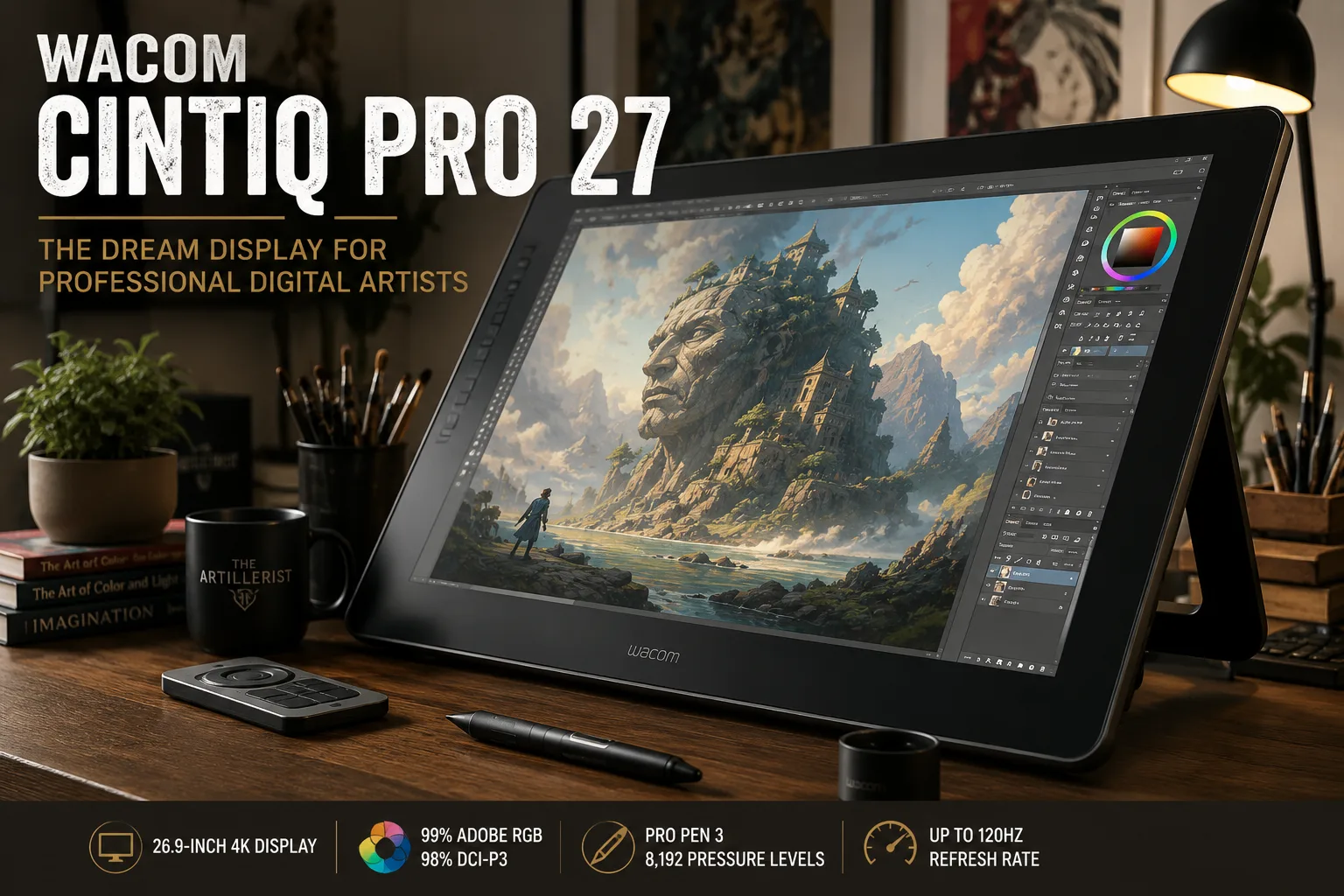
If you're looking for a display that can grow with your career rather than hold it back, this is one of the best options available. The Wacom Cintiq Pro 27 features a 26.9-inch 4K IPS display, supports up to a 120 Hz refresh rate, covers 99% Adobe RGB and 98% DCI-P3 color spaces, and uses the customizable Wacom Pro Pen 3 with 8,192 levels of pressure sensitivity.
A pen display is a monitor that allows an artist to draw directly on the screen using a pressure-sensitive stylus.
A Display That Feels Like Drawing on Paper
One of the first things artists notice isn't the size.
It's the feeling.
The etched glass surface provides a subtle texture that creates resistance similar to drawing on quality paper. Combined with Wacom's pen technology, strokes feel natural and precise rather than slippery or artificial. The display is fully laminated to minimize parallax, helping your pen tip feel closely connected to the cursor on screen.
Whether you're sketching loose concepts or painting tiny details, the experience quickly becomes intuitive.
Color Accuracy You Can Trust
Professional artists know that color matters.
If your monitor displays inaccurate colors, your finished artwork may look completely different on another screen or when printed.
The Wacom Cintiq Pro 27 is built with this in mind.
Key Specifications
- 26.9-inch 4K Ultra HD display (3840 × 2160)
- 99% Adobe RGB
- 98% DCI-P3
- 10-bit color support
- Pantone Validated certification
- Up to 120 Hz refresh rate for smoother pen movement and display performance
For artists creating illustrations, publishing books, designing games, or preparing gallery-quality prints, these specifications provide confidence that colors remain consistent throughout the creative process.
The Wacom Pro Pen 3
The included Wacom Pro Pen 3 is one of the biggest improvements over previous generations.
Instead of forcing every artist into one grip style, Wacom designed the pen to be customizable.
You can customize:
- Grip thickness
- Button placement
- Weight balance
The pen is battery-free and offers 8,192 levels of pressure sensitivity with tilt support, allowing for responsive, natural drawing without charging.
Is the Wacom Cintiq Pro 27 Worth It?
The Wacom Cintiq Pro 27 isn't intended for everyone.
It's an investment aimed at creators who spend significant time drawing or painting digitally.
It's especially well suited for:
- Professional illustrators
- Comic artists
- Concept artists
- Matte painters
- Game artists
- Animators
- Character designers
- Fine artists transitioning to digital
If you're just starting out, a more affordable tablet may make more sense.
But if digital art is becoming your career—or already is—the Wacom Cintiq Pro 27 is built to meet professional demands.
Things to Consider
No product is perfect.
Before purchasing, it's worth knowing:
- The display is large and requires substantial desk space.
- The optional ergonomic stand is sold separately.
- You'll need a reasonably powerful computer to take full advantage of the 4K resolution and higher refresh rates.
For many professionals, however, these are reasonable trade-offs for a high-end creative workstation.
Our Recommendation
After comparing the current generation of professional drawing displays, the Wacom Cintiq Pro 27 remains one of the strongest choices for artists who value precision, color accuracy, and long-term reliability.
Its premium price reflects its professional focus, but for creators whose livelihood depends on digital artwork, it's an investment that can pay dividends through improved workflow and comfort over years of use.
👉 Check the current price and availability of the Wacom Cintiq Pro 27.
Artists comparing professional equipment may also enjoy our guide to choosing a drawing tablet.
Frequently Asked Questions
Is the Wacom Cintiq Pro 27 good for professional artists?
Yes. Its large 4K display, accurate color reproduction, responsive pen technology, and professional build make it particularly well suited to illustrators, animators, and concept artists.
Does the Wacom Cintiq Pro 27 work without a computer?
No. The Cintiq Pro 27 is a pen display rather than a standalone tablet, so it must be connected to a compatible computer.
Is the Wacom Cintiq Pro 27 worth the price?
It can be worth the investment for professionals who rely on accurate color, a large drawing surface, and dependable pen performance. Casual artists may find less expensive alternatives more practical.
Who Should Buy the Wacom Cintiq Pro 27?
We recommend the Wacom Cintiq Pro 27 for professional illustrators, animators, concept artists, and designers who need dependable color accuracy and a spacious drawing surface.
Compared with more affordable alternatives from Huion or XP-Pen, the Cintiq Pro 27 costs considerably more. However, Wacom’s refined pen experience, build quality, and professional-focused display may justify the price for artists who use it every day.
According to Wacom’s published specifications, the Cintiq Pro 27 features a 4K display and is designed to support professional color workflows. View the official specifications.
Final Verdict
The Wacom Cintiq Pro 27 is best suited to serious professionals who will benefit from its large display, responsive drawing experience, and strong color performance. It is expensive and unnecessary for many beginners, but for artists whose income depends on their equipment, it can be a worthwhile long-term investment.